 VOHR
VOHRYour content.
One beautiful player.
VOHR is a clean, fast player for the IPTV service or playlist you already have. Sign in with your provider or paste a playlist address, and VOHR turns it into an organised library of Live TV, films and series, with a seven-day TV guide, catch-up and search.
No account · No tracking
Features
Everything a player should be. Nothing it shouldn't.
VOHR ships with no content and no clutter: a fast, polished home for the sources you bring.
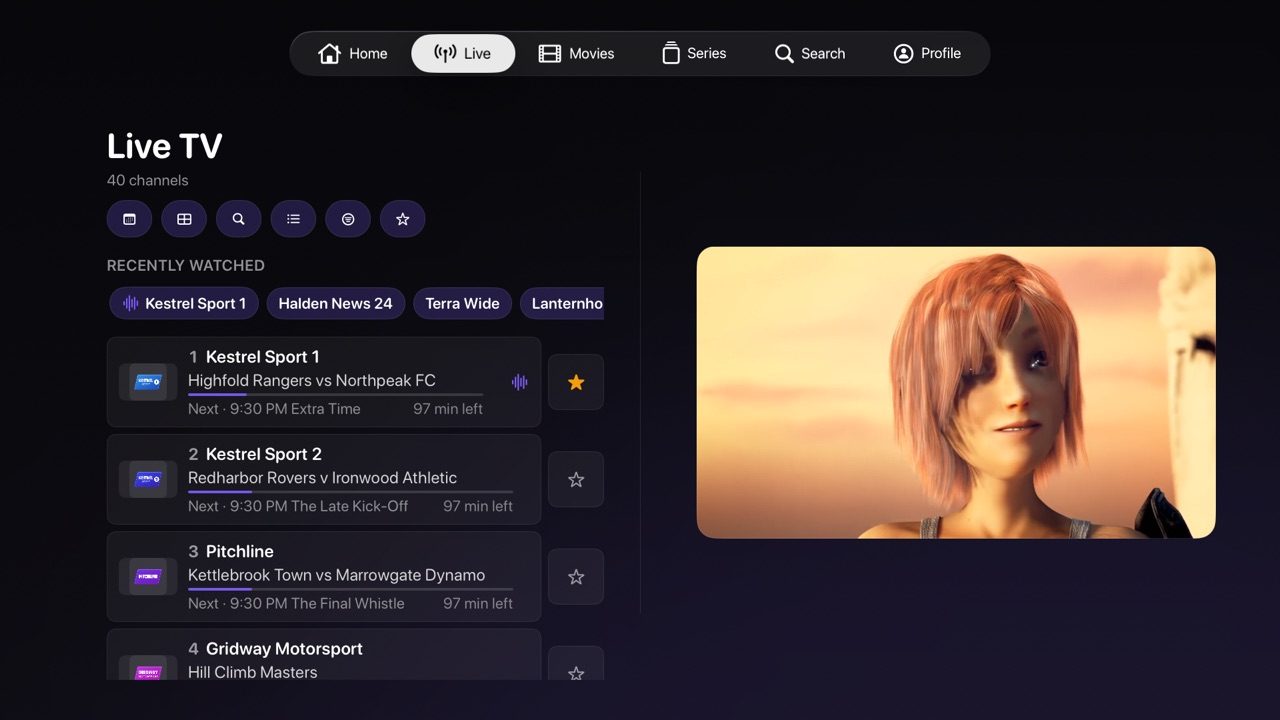
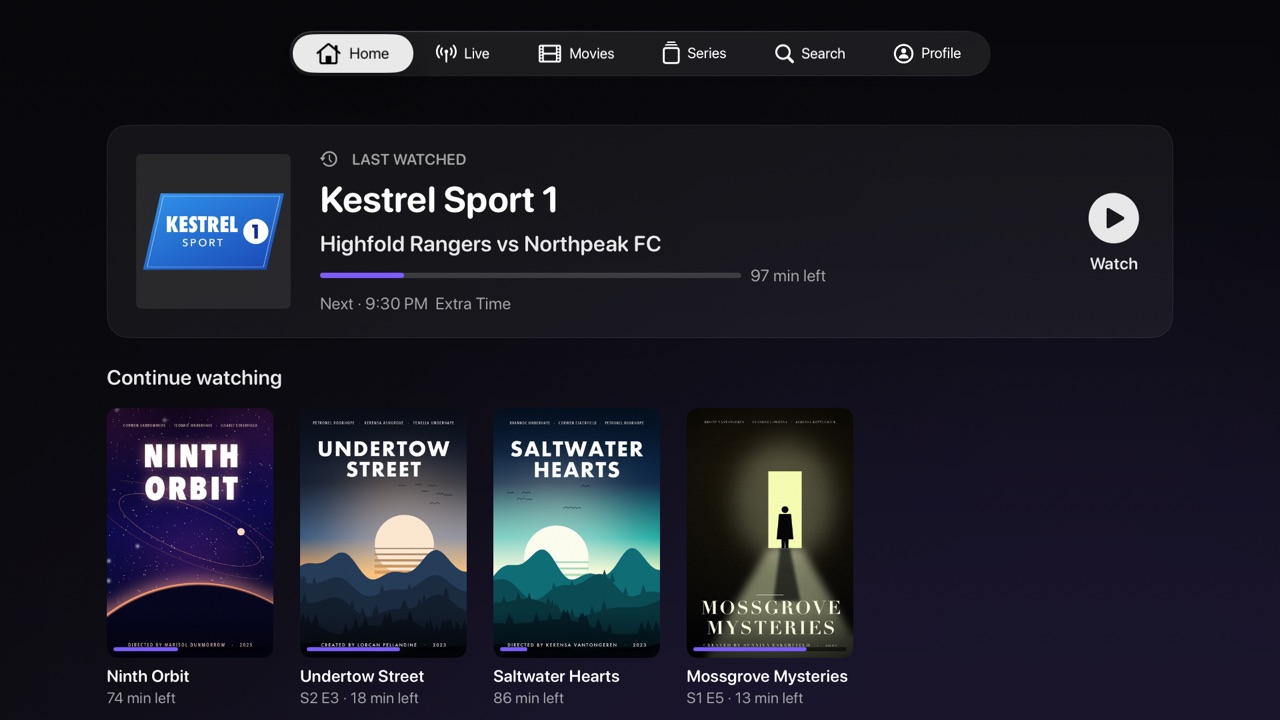
Live TV, films & series
Your provider or playlist is sorted into clean, browsable Live, Movies and Series libraries, with artwork, resume and favourites.
Paste anything
An Xtream Codes login, an M3U or M3U-plus playlist, or a direct stream link. VOHR works out the rest.
Two playback engines
A native engine built on Apple’s own player, and a VLC-based engine for the widest format support, so the streams you have actually play.
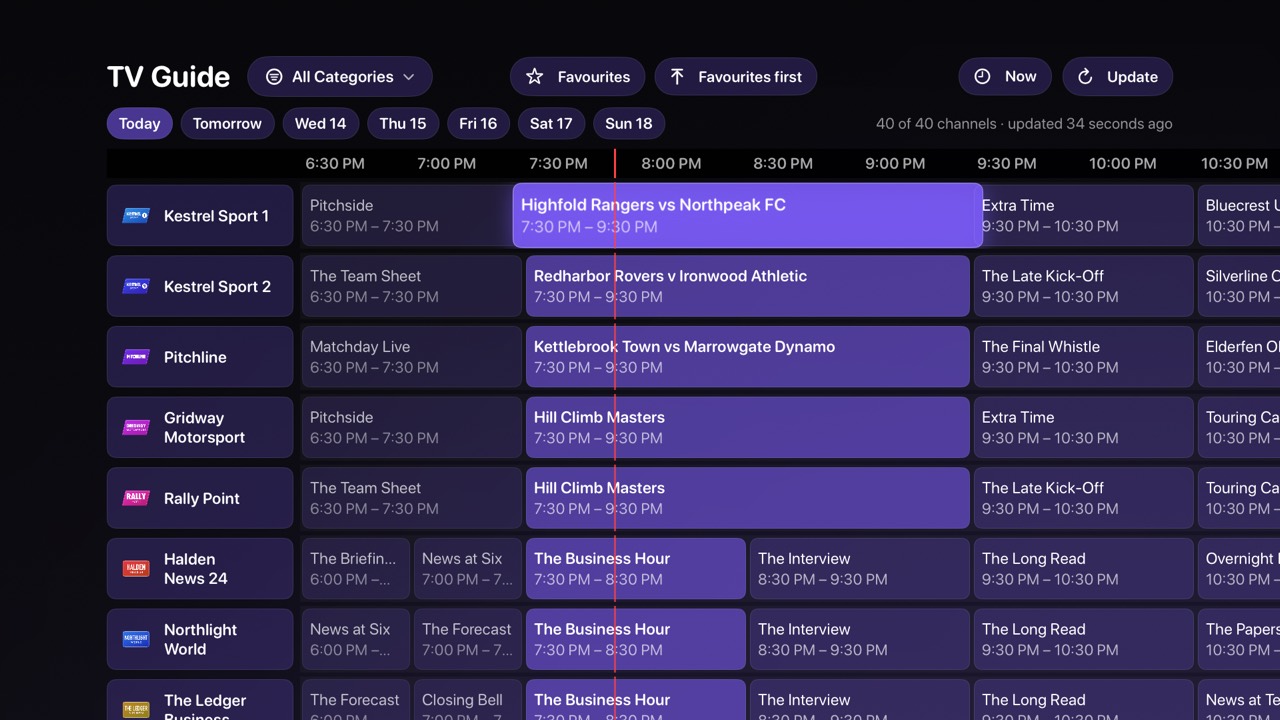
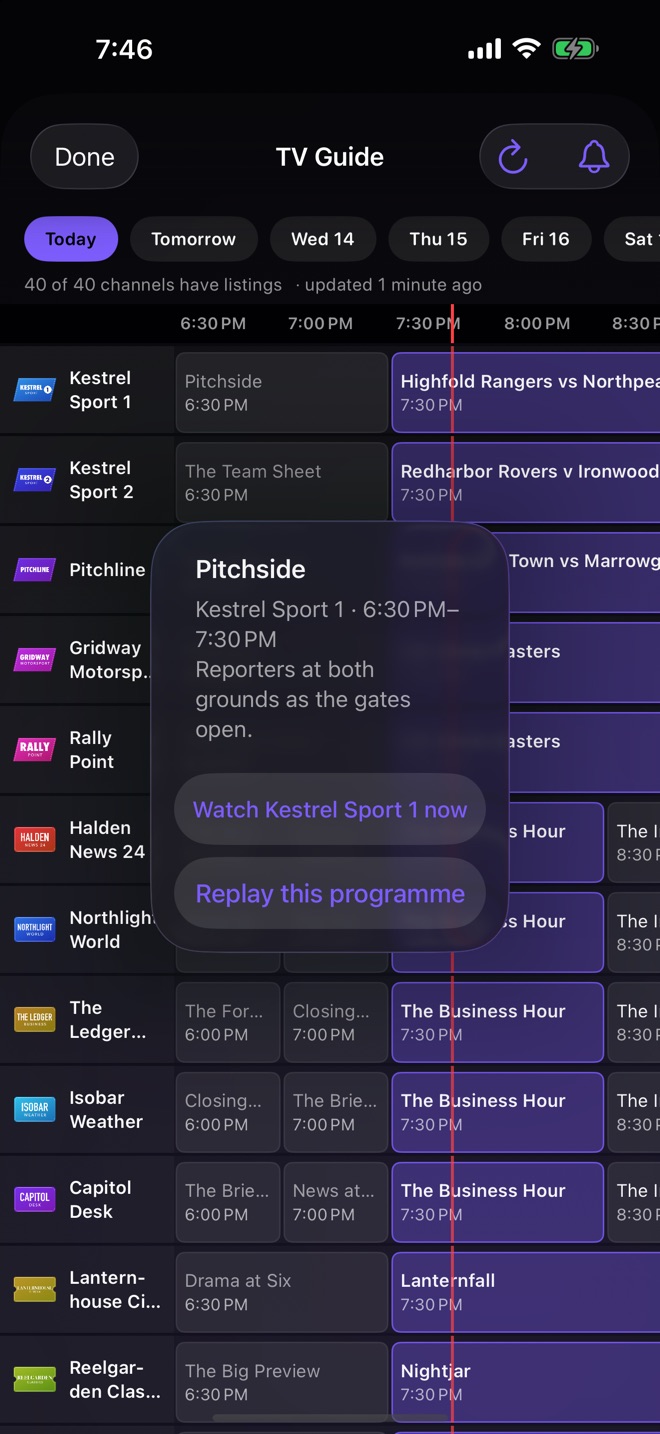
Seven-day TV guide
See what is on now and next, and browse the week ahead in a full programme grid.
Catch-up
Missed the start? When your provider keeps an archive, play earlier programmes straight from the guide.
Search everything
One search across channels, films, series and the TV guide, with results as you type.
Household profiles
Everyone gets their own favourites and progress. Child profiles can hide or lock the categories you choose.
Multi-view
Watch more than one channel at once, when your provider allows more than one connection.
Apple TV sign-in by code
No typing with the remote: scan the code on your television with VOHR on your iPhone and the Apple TV signs in by itself.
VOHR Pro
Free to use. Pro when you want more.
Everything above is part of the free app. VOHR Pro is an optional upgrade, bought inside the app as a one-time purchase or a subscription.
iCloud sync
Favourites, progress and settings stay in step on every device signed in to your iCloud account.
Offline downloads
Save films and episodes on iPhone and iPad for the flight or the commute.
Reminders & alerts
Be told before a programme starts, and when a new episode of a show you follow appears.
How it works
From URL to library in seconds.
Bring your source
Sign in with your Xtream Codes provider, or just paste an M3U playlist or stream URL.
VOHR builds your library
Channels, films and series are detected and organised automatically, artwork and guide included.
Press play
Smooth, reliable playback with resume, favourites, search and the TV guide a press away.
Screenshots
Designed to feel at home on your screen.
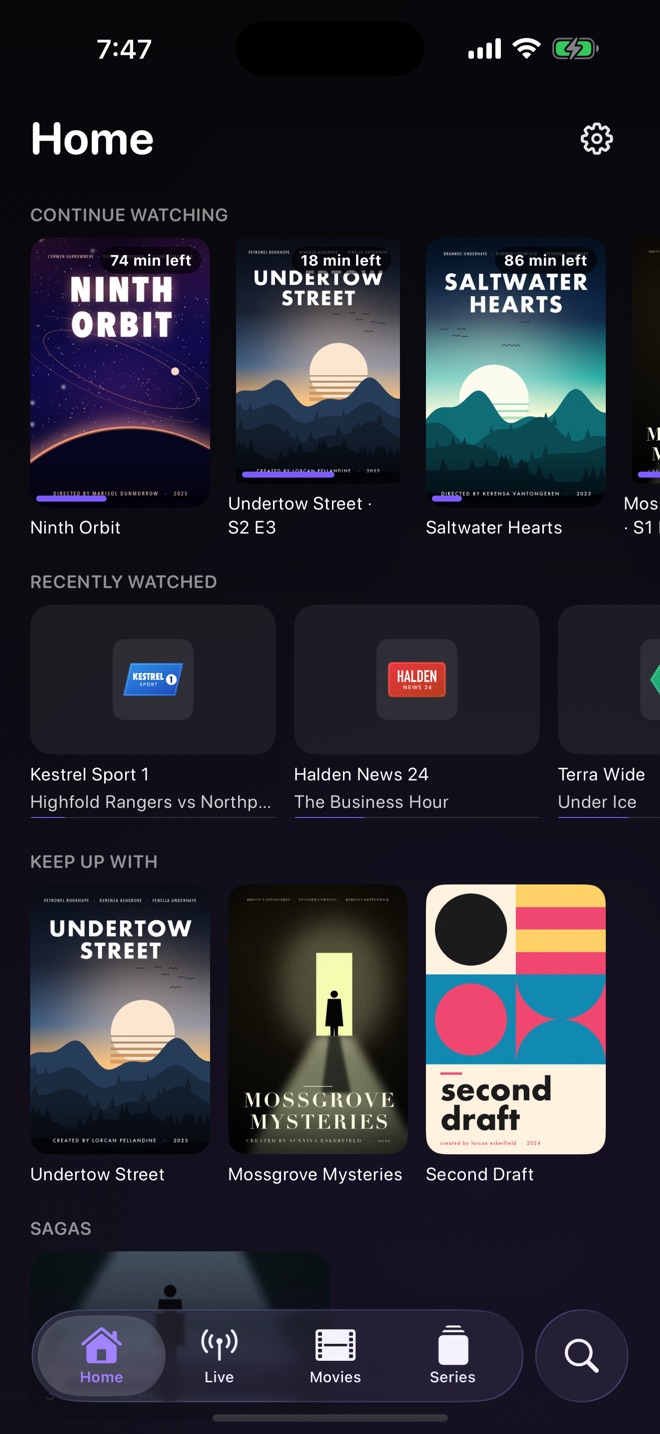
Shown with a demo catalogue. The channels, programmes, films and series in these pictures are invented. VOHR itself includes no content.
Apple TV
iPhone
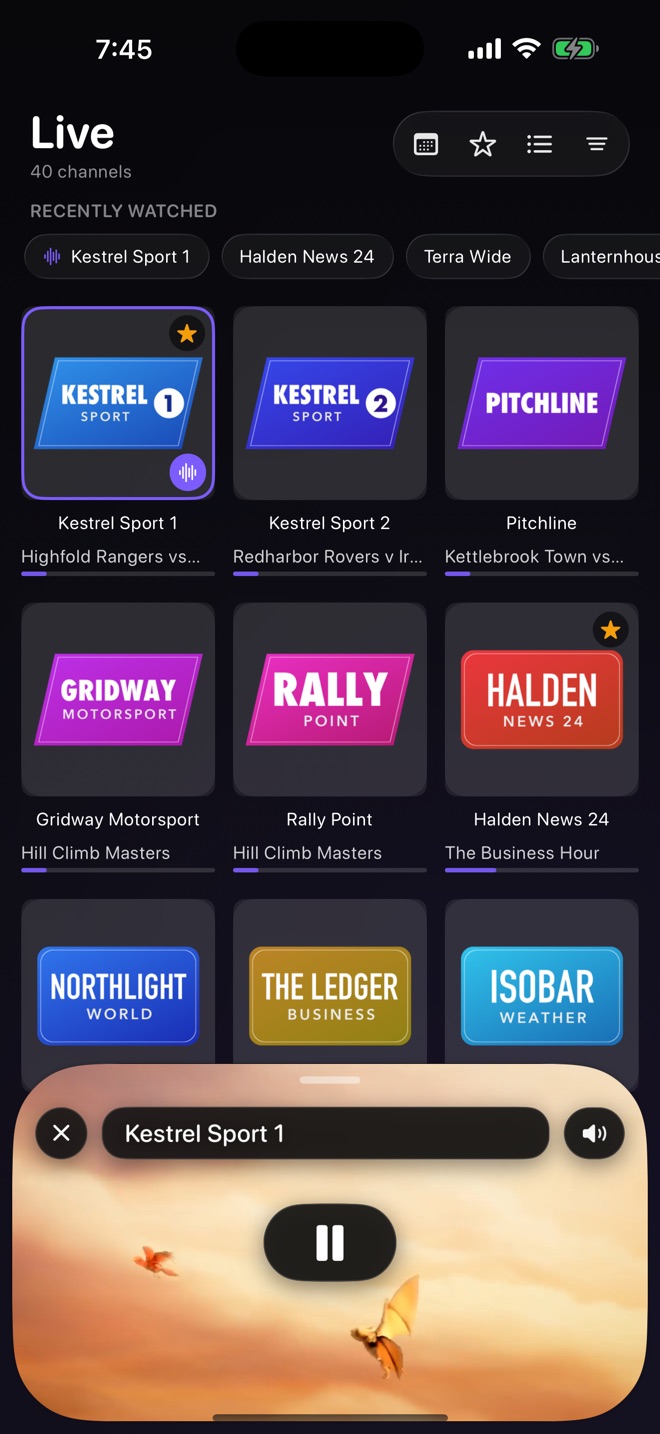
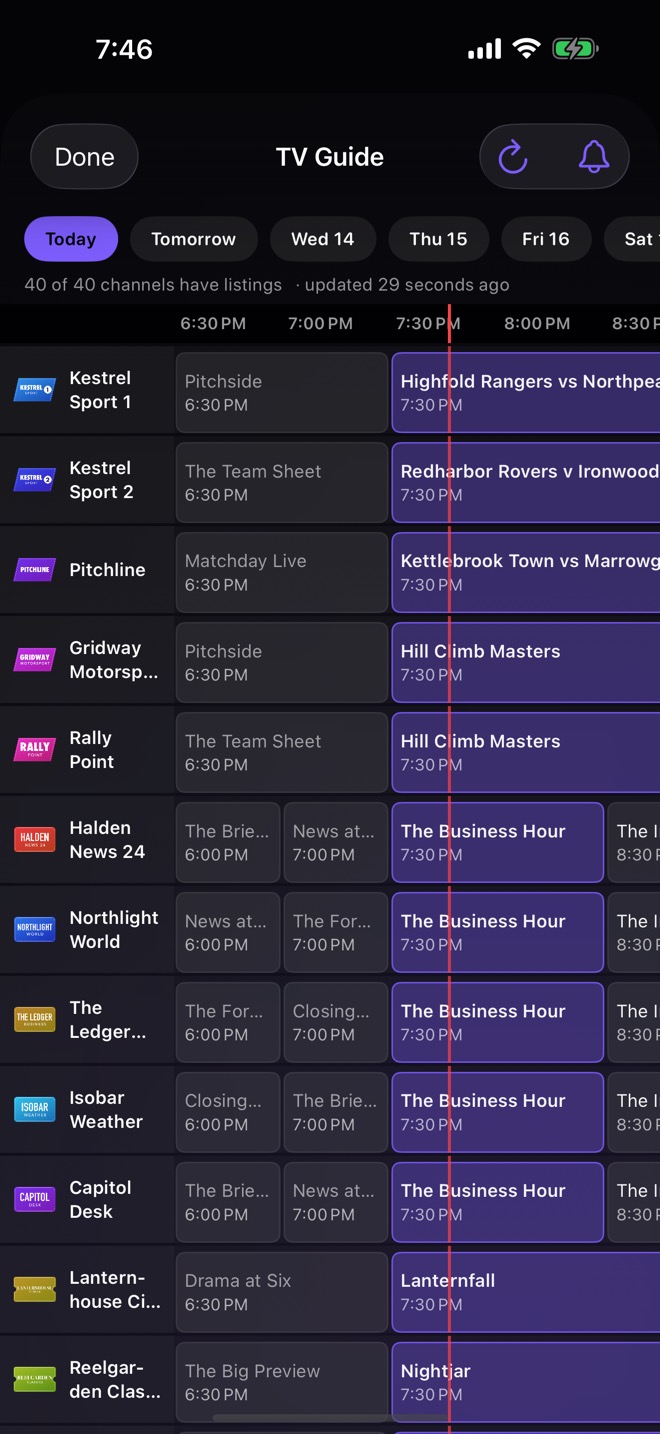
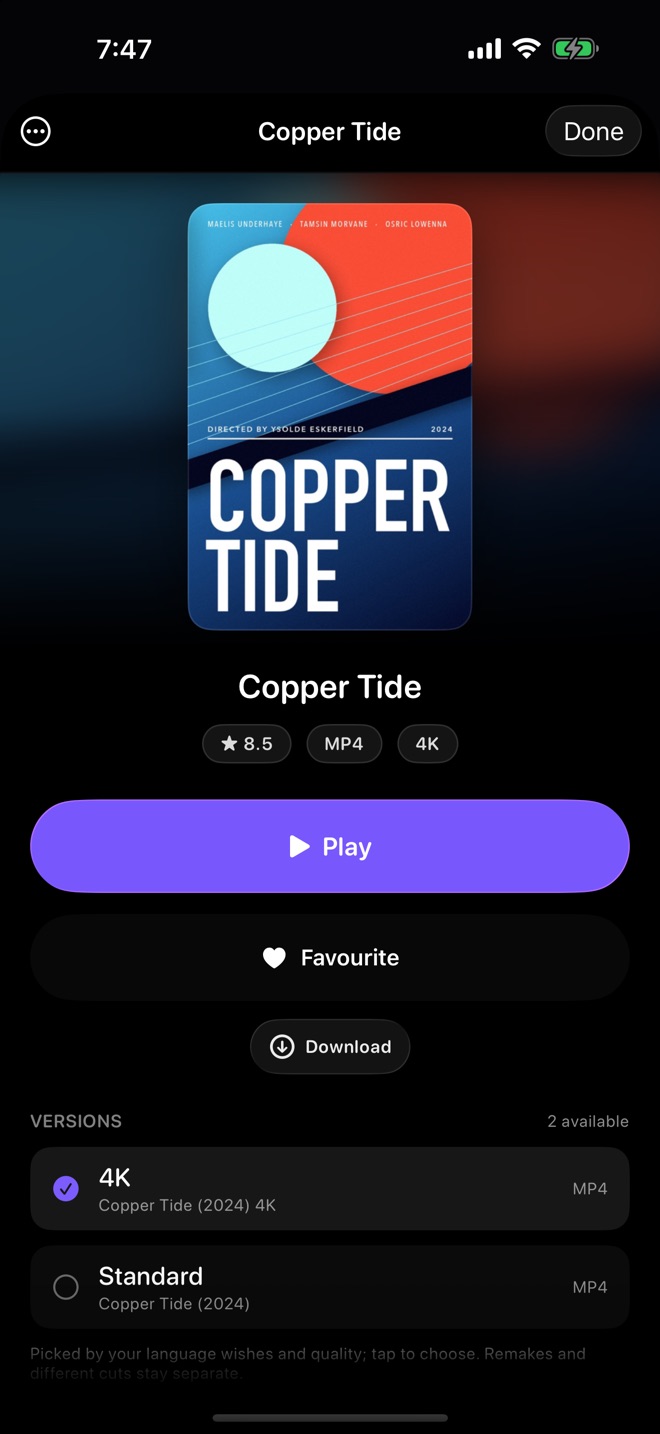
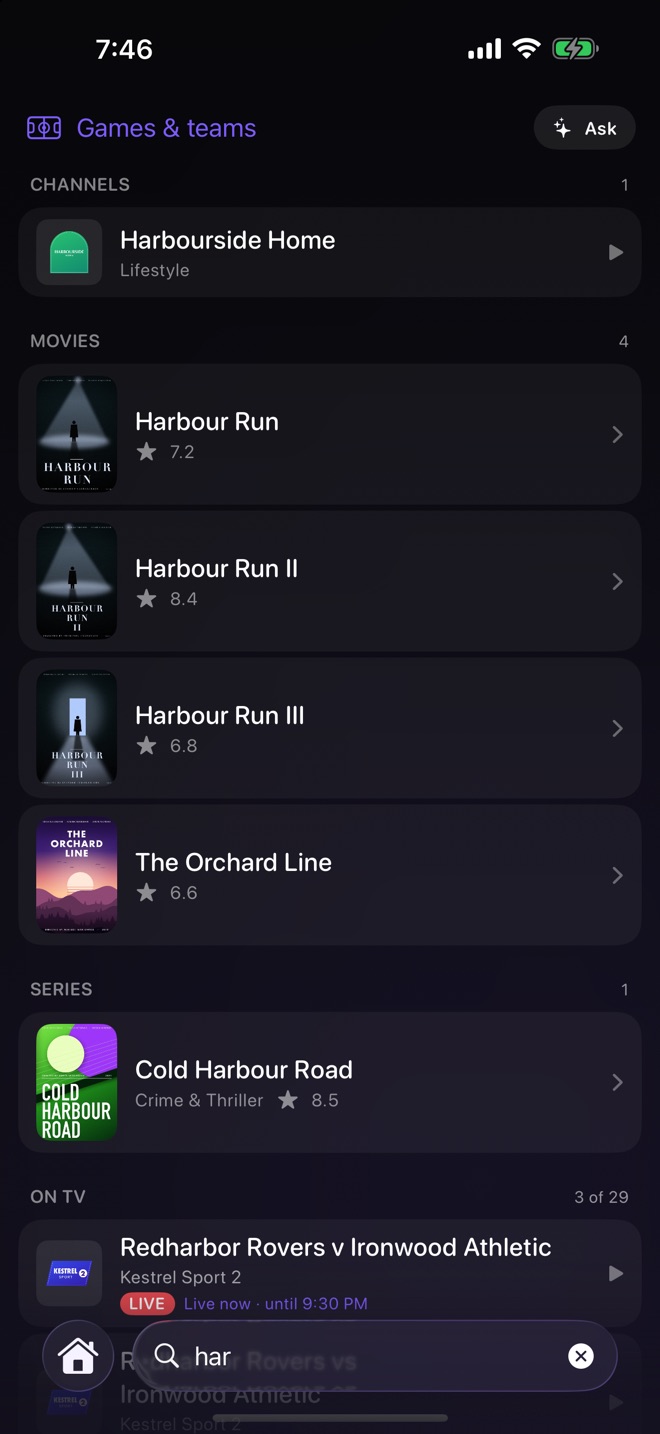
Screenshots show scenes from Sintel, Spring, Cosmos Laundromat and Big Buck Bunny, (c) Blender Foundation, used under Creative Commons Attribution.
No accounts. No analytics. No tracking.
VOHR collects nothing. Your logins live in your device's Keychain and your watch history stays on your device, unless you turn on iCloud sync, which keeps them in your own iCloud account where we cannot read them. Your streams connect directly to the source you chose, never through servers of ours. Read the full privacy policy.
FAQ
Quick answers.
Does VOHR include any channels, movies, or series?
No. VOHR ships completely empty. It is a player only — you supply your own legal content source, such as your IPTV subscription or a playlist you have the rights to use.
What sources does VOHR support?
Xtream Codes provider logins, M3U and M3U-plus playlists, and direct stream addresses (for example HLS). Paste it in and VOHR organises it into a library automatically.
Which devices does it run on?
VOHR is available on Apple TV today (tvOS 17 or later). It is coming soon to iPhone and iPad (iOS 17 or later).
How much does it cost?
VOHR is free to use. VOHR Pro is an optional upgrade that adds iCloud sync, offline downloads, reminders and alerts, and more. It is offered inside the app as a one-time lifetime purchase or as a yearly or monthly subscription, and the prices are shown there before you buy.
How do I cancel a Pro subscription?
Subscriptions are billed by Apple and renew automatically until cancelled. You can manage or cancel at any time in your Apple Account settings, under Subscriptions. The Terms of Use have the details.
What data does VOHR collect about me?
None. There's no VOHR account, no analytics and no ads. Saved logins are stored in your device's Keychain and can be removed in the app at any time. If you turn on iCloud sync, your data is kept in your own iCloud account, which we cannot see.
Support
We're happy to help.
Contact
Questions, problems, or feedback about VOHR?
Email jadbader7@gmail.com — we usually reply within a few days.
Legal
VOHR keeps your data on your device, or in your own iCloud account if you turn on sync, and collects nothing.
VOHR is a media player only. It does not provide, host, or include any channels, movies, or other content, and is not affiliated with any IPTV provider. You are responsible for supplying your own legal content source and for complying with all applicable laws and the terms of your provider.